Features
Cookies, queues, subtitles, export presets — kept on one desk instead of four.
Files stay local unless you turn on cloud AI (BYOK supported).
Four everyday flows
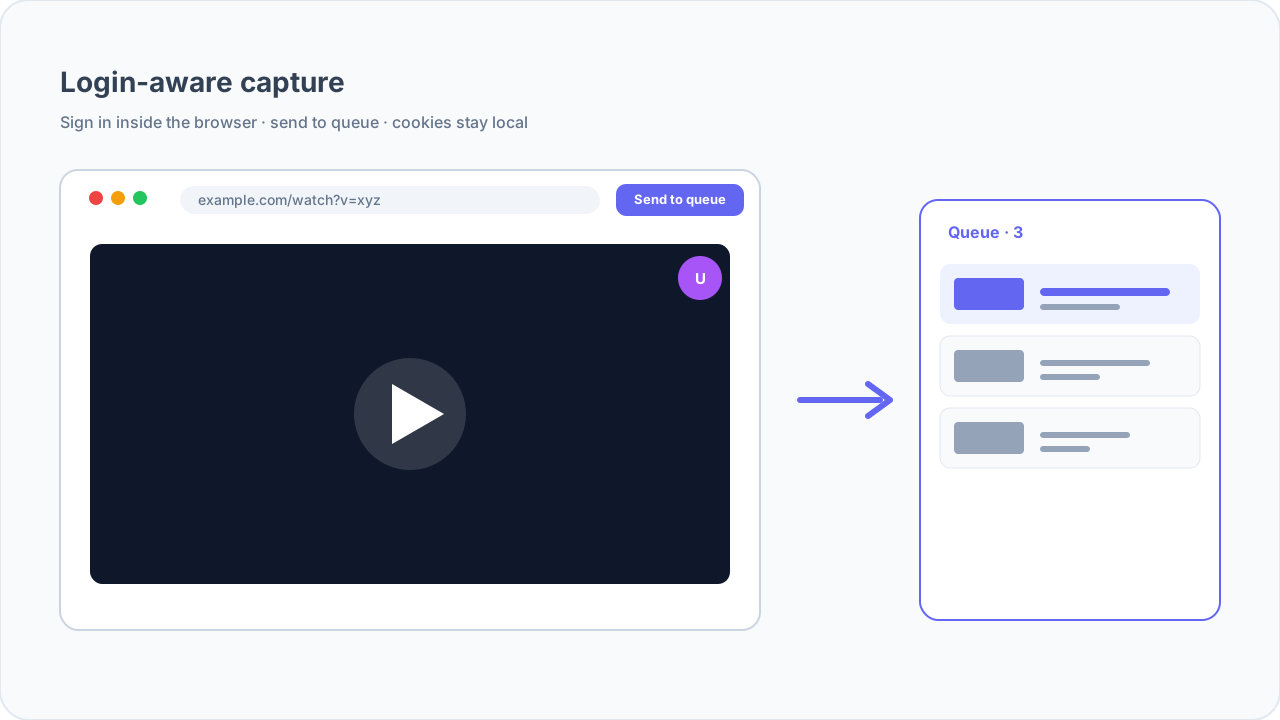
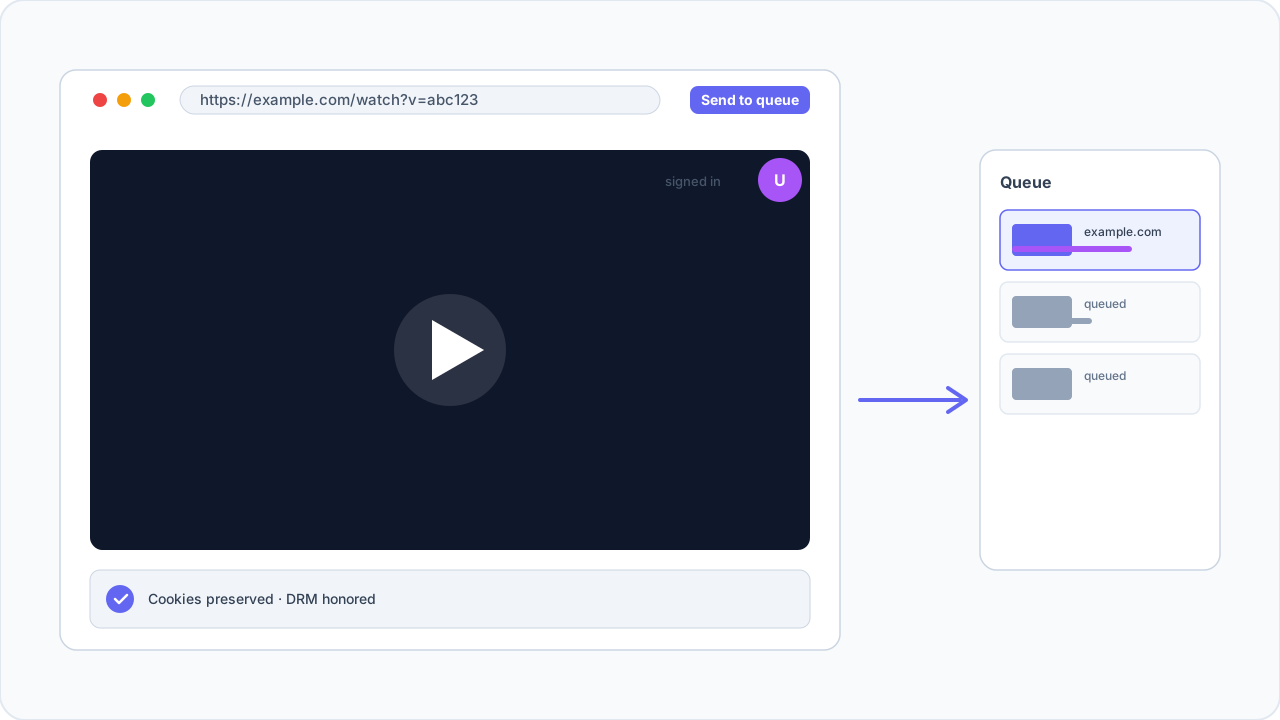
Login-aware capture
Built-in browser, cookies stay yours.
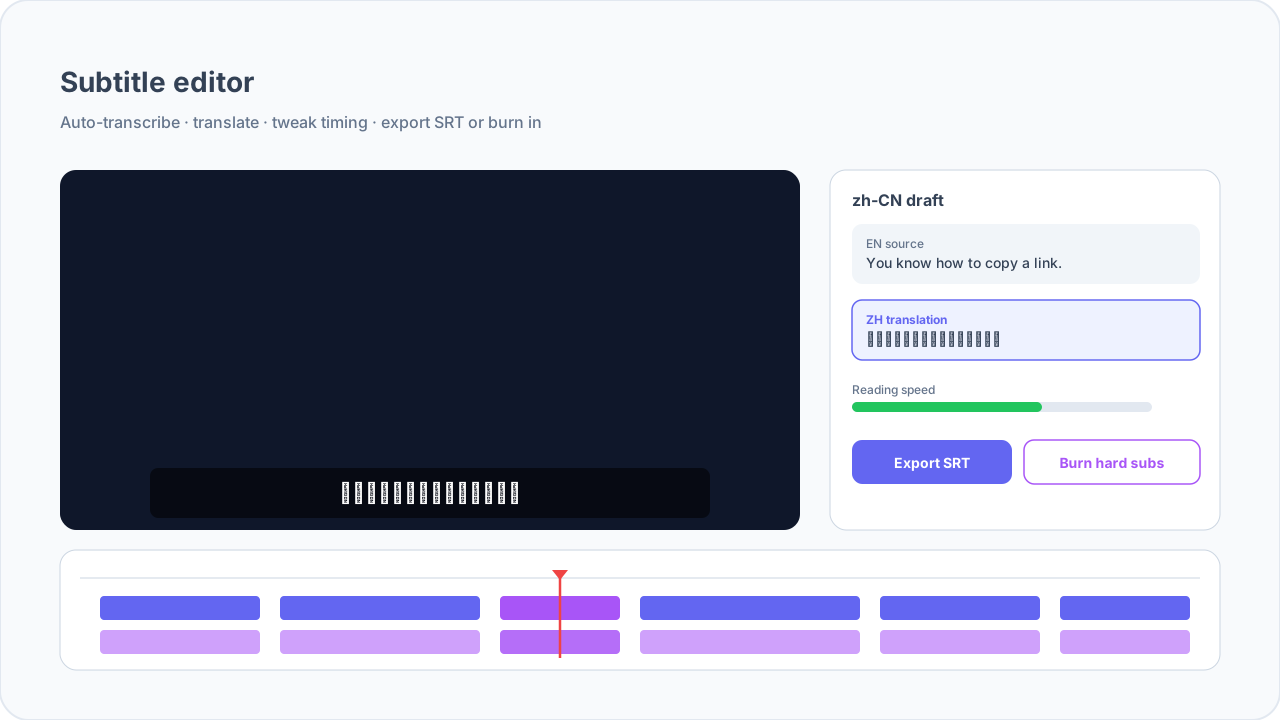
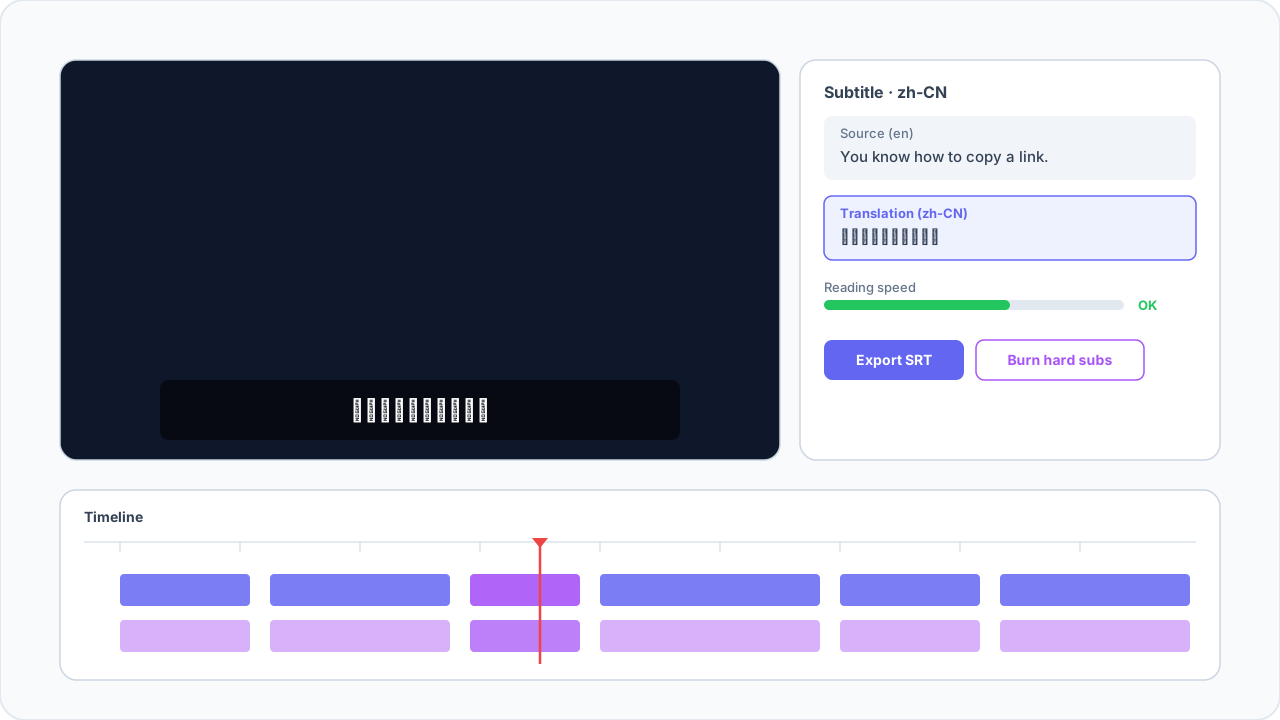
Subtitle editor
Timeline + translation in one view.
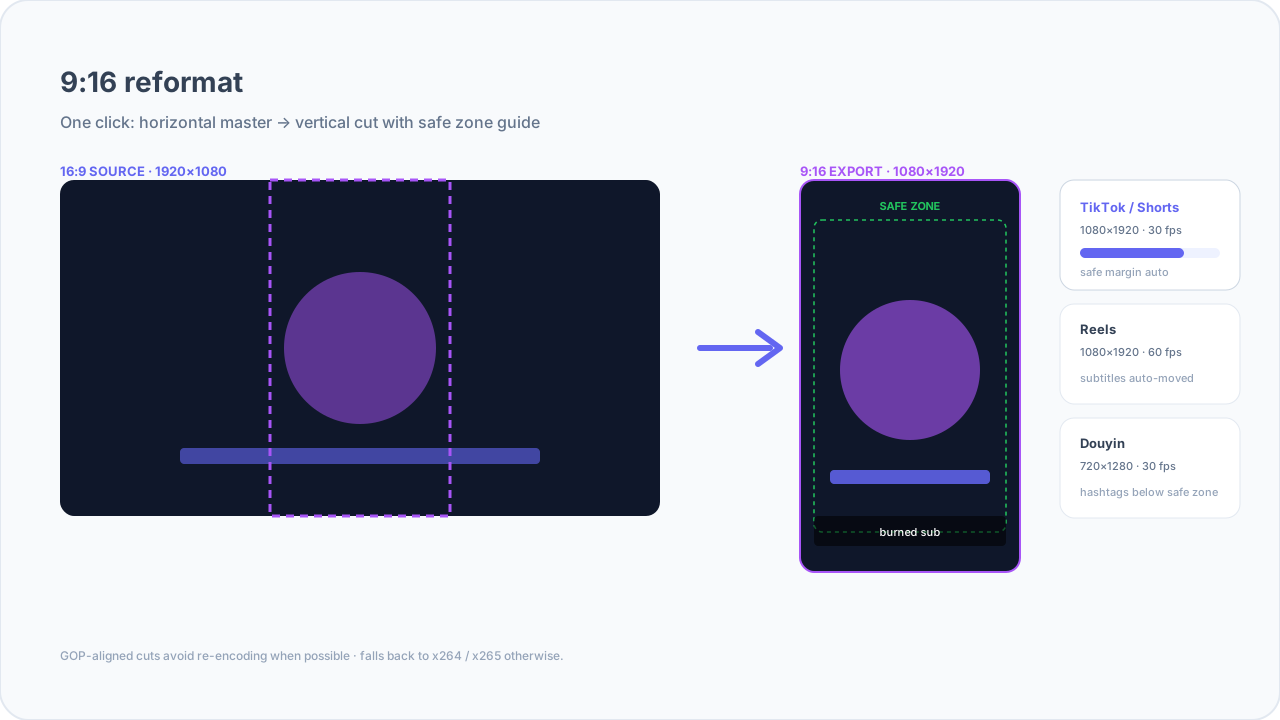
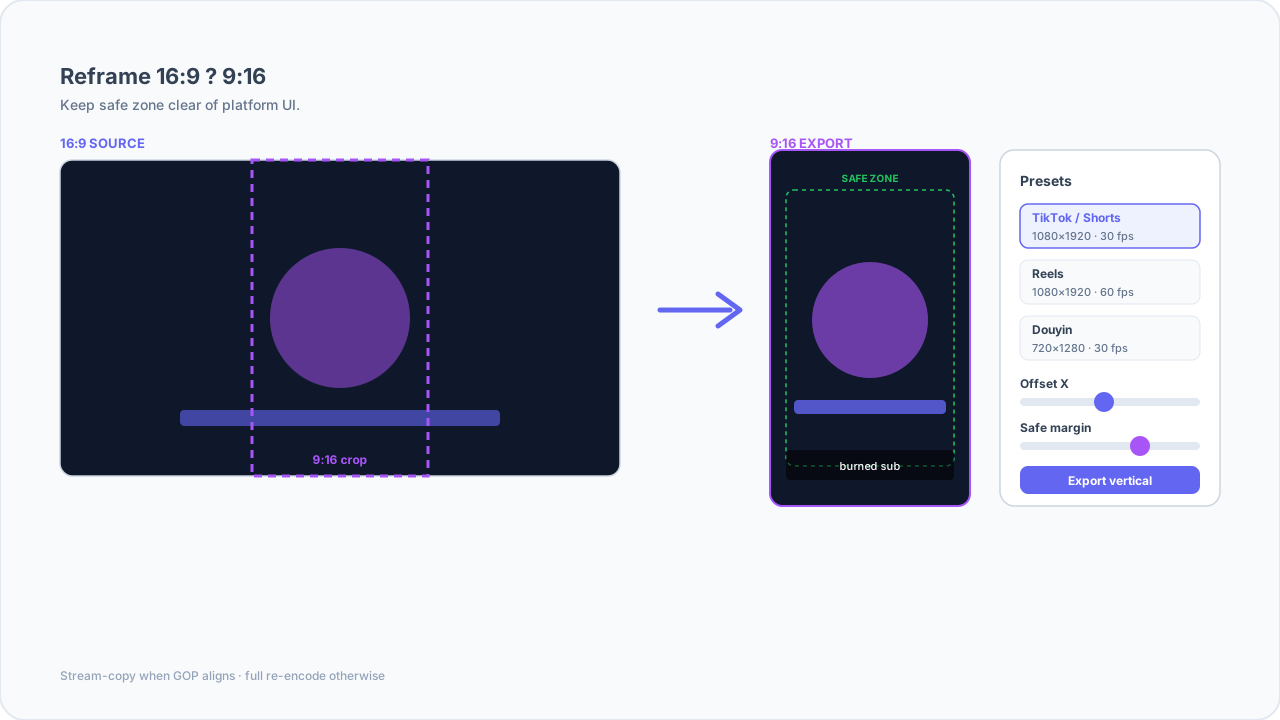
9:16 reformat
Horizontal to vertical, safe zone tweakable.
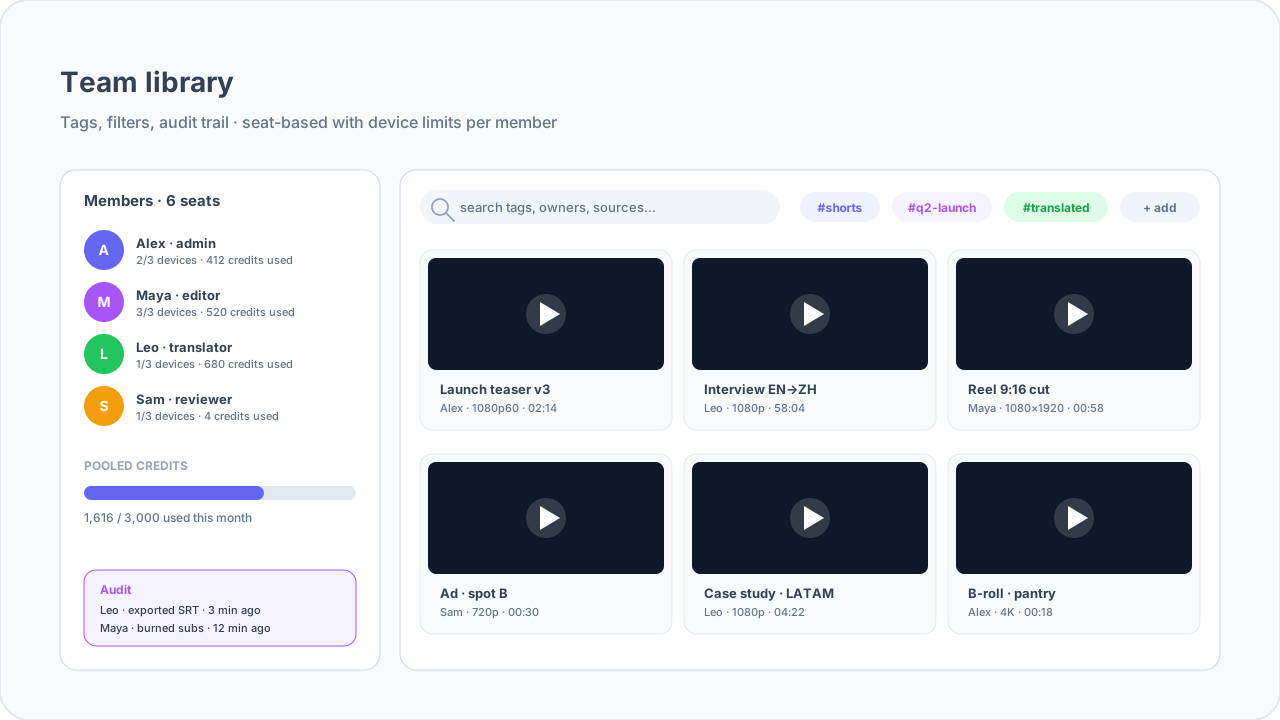
Team library
Tags, filters, audit trail.
Creators
It is 9 a.m. You have three tabs open: a sponsor brief, a reference clip, and the channel you need to pull before noon. You do not want to export cookies into a terminal again.
Built-in browser for login-aware capture
Pull sources the way a real viewer sees them, including age-gated or subscriber-only flows.
- Use the embedded browser on YouTube, TikTok, Bilibili, X, Instagram, and Facebook without exporting fragile cookie jars by hand.
- Reuse authenticated sessions across tabs so a single sign-in feeds both exploration and the downloader queue.
- Switch User-Agent presets (desktop, mobile, custom) when a site serves different renditions per device class.
Multi-tab workspace with shared cookies
Keep research, reference clips, and capture targets in one docked surface.
- Open several tabs without losing isolation between client projects.
- Promote a tab’s URL straight into batch download with inherited cookies where policy allows.
- Private mode boundaries stay explicit so editors do not leak drafts across accounts.
Batch downloads that respect your machine
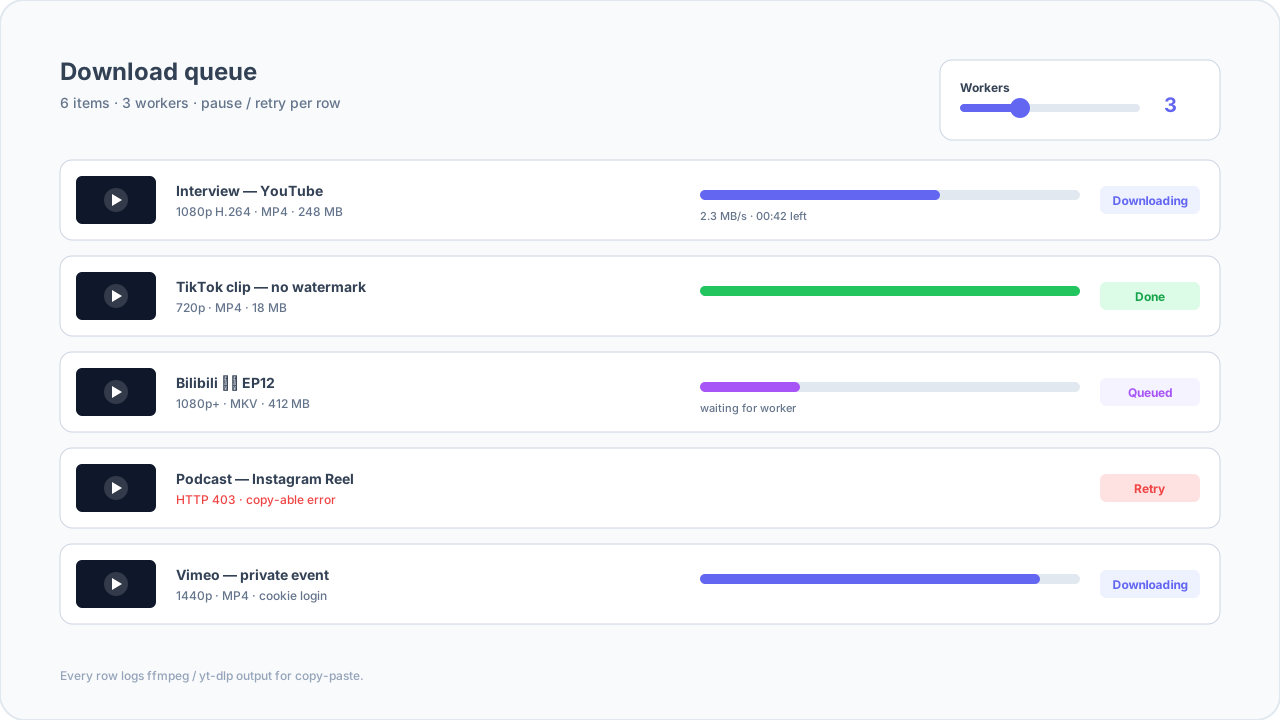
Queue dozens of links, pause, resume, and retry without babysitting terminals.
- Multi-worker throughput controls keep livestreams and screen recording stable on the same workstation.
- Automatic retries with backoff for flaky hotel Wi-Fi or VPN blips.
- Per-job logs you can paste into vendor tickets when a CDN edge misbehaves.
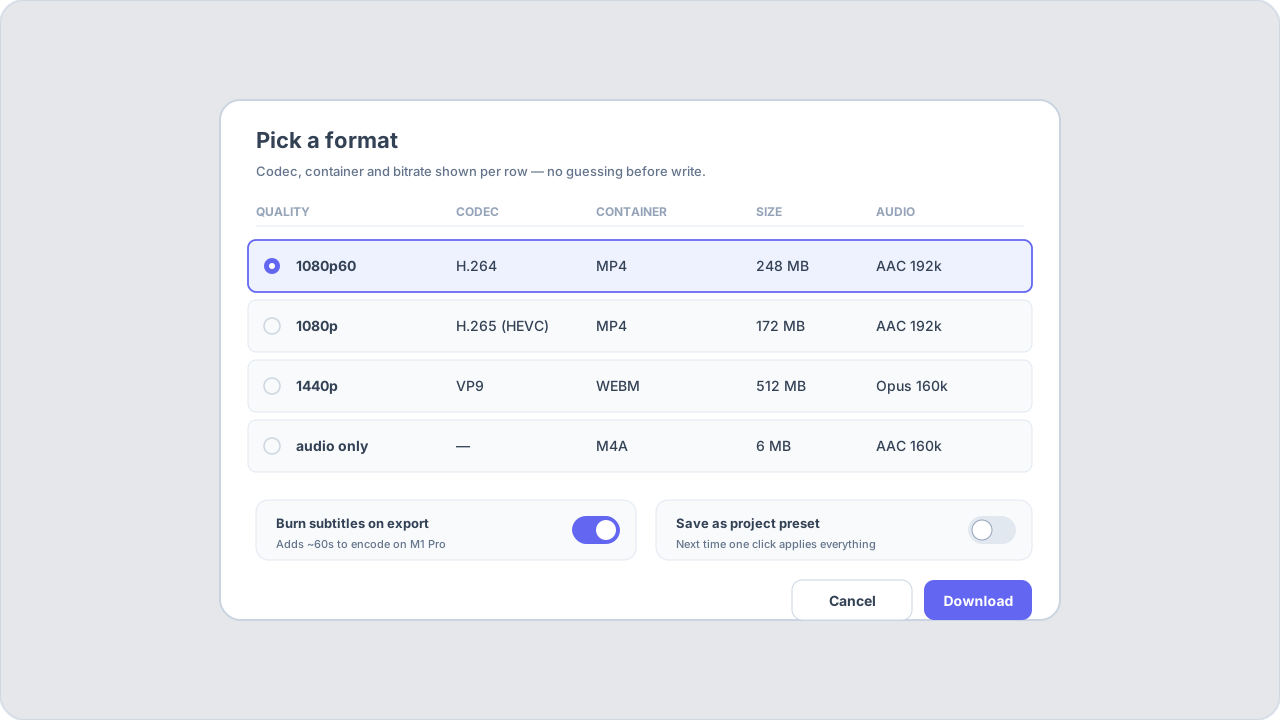
Format selector with honest quality labels
See codecs, bitrates, and container tradeoffs before you commit disk space.
- Compare progressive vs adaptive stacks when both exist.
- Keep separate audio languages when the platform exposes them.
- Export proxies for offline review while masters stay lossless on NAS.
Cloud AI subtitles with BYOK or bundled credits
Generate speech-to-text across 30+ languages without shipping raw audio to random extensions.
- Route through a server-managed OpenAI-compatible provider so finance keeps a single AI vendor DPA.
- Use bundled credits when you want predictable invoices instead of token math.
- Human-edit SRT, VTT, and ASS with timing tools that respect frame boundaries.
Reformat, clip, and publish-ready exports
Move from horizontal masters to vertical Shorts without rebuilding timelines elsewhere.
- Smart crop presets for 16:9 → 9:16, 1:1, and 4:5 with subject-aware framing heuristics.
- Hard subtitle burn-in with style presets so TikTok and Reels look intentional, not patched.
- Thumbnail extraction, chapter markers, and AI outline drafts to speed packaging.
AI Video Studio: storyboard to finished sequence
Turn one creative brief into editable shots, direct downloads, and a longer local composition.
- Smart breakdown proposes scenes, prompts, references, and continuity notes before any points are spent.
- Generate multiple 4–15 second shots, then reorder, trim, add audio/subtitles, and export locally.
- Creator points make output capacity predictable without exposing provider model or per-second billing details.
Operators
Monday is a wall of CSVs and "did this file land?" pings. Your job is to keep ingest boring: same tags, same hashes, same answers when finance asks what the AI bill was for.
Throughput and concurrency guardrails
Throttle workers so nightly batches never starve daytime Zoom calls.
- Cap simultaneous encodes while leaving headroom for NLE previews.
- Pin golden outputs when engines upgrade so regressions surface in minutes.
- Hash outputs before archive upload to satisfy compliance checklists.
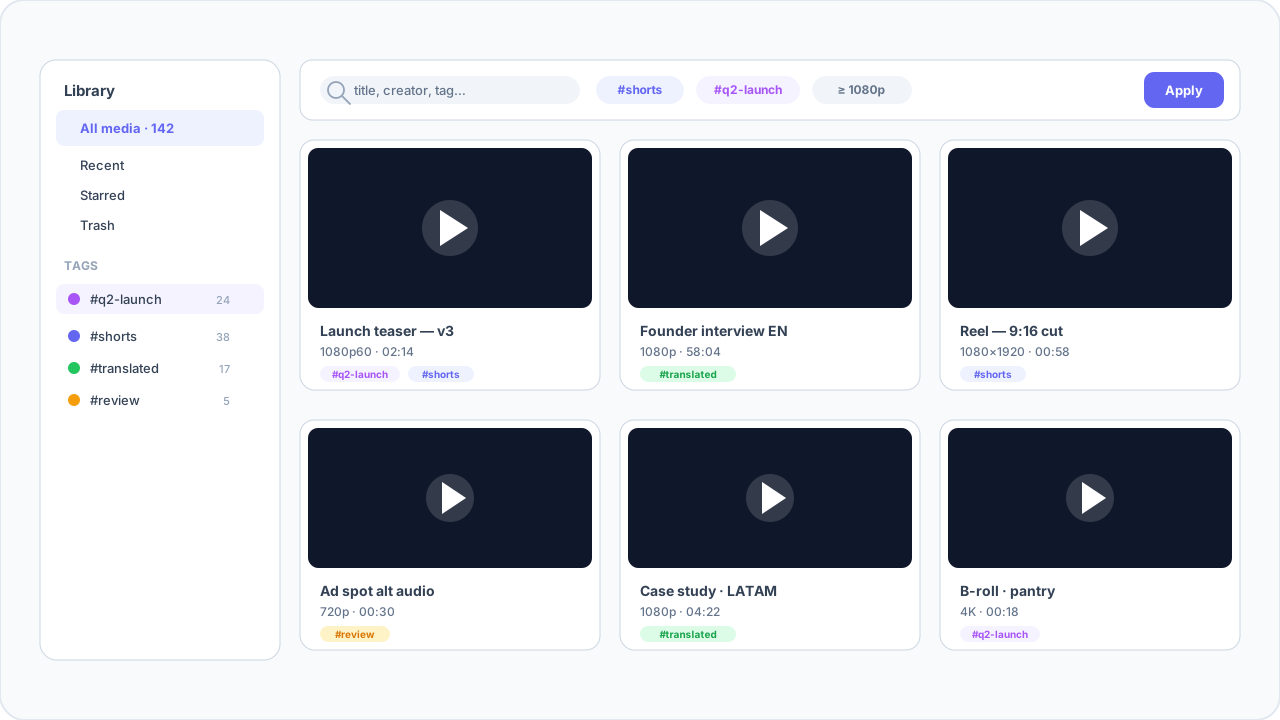
Media library with tags, search, and filters
Give distributed teams a shared catalog without forcing everyone into a heavyweight MAM.
- Tag by campaign, channel, or risk tier for faster handoffs.
- Filter by codec, resolution, or ingest date when executives ask for receipts.
- Team includes shared libraries with seat-aware permissions.
Policy-aware defaults
Reduce “oops” uploads with presets that honor platform safe zones.
- Preset safe margins per destination to avoid accidental overscan crops.
- Watermark and attribution reminders on exports destined for public social.
- Dry-run packaging flows before anything hits a CMS connector.
Thin installer, engines on first launch
Ship a small binary; fetch yt-dlp and ffmpeg after acceptance checks.
- IT teams review a minimal footprint before wider rollout.
- Versioned engine downloads make upgrades reproducible across pods.
- Offline cache directory stays configurable for air-gapped variants.
Device binding that matches how teams buy software
Honest Free / Pro / Team tiers with clear device counts instead of opaque “activations”.
- Free tier caps daily downloads and resolution so pilots stay predictable.
- Pro expands to three devices with unlimited pulls and 4K-class sources where licensed.
- Team pools devices per seat with priority support lanes for revenue-critical weeks.
Observability-friendly logs
Surface failure clusters with copy-ready diagnostics.
- Structured download errors for quick triage in Slack ops channels.
- Separate AI job transcripts when auditors ask what left the perimeter.
- Exportable CSV summaries for finance when reconciling cloud AI usage.
Movers
A channel dropped forty Shorts overnight and legal wants a mirror by lunch. You are not here to hero-edit; you are here to queue, trim, and hand editors something consistent.
Playlist ingestion with provenance
Explode channels into rows without losing the parent URL paper trail.
- Skip duplicates automatically when channels spam hourly Shorts.
- Resume partial files after VPN drops instead of restarting from byte zero.
- Keep chapter markers when the platform exposes them for downstream editors.
Clip cutter with smart no-reencode paths
Set precise in/out points on long mirrors without waiting for another full transcode.
- Prefer stream-copy cuts when GOP boundaries allow.
- Fall back to lightweight re-encode only when containers disagree.
- Batch apply the same window list across sibling files.
Normalization for editing houses
Transcode to house formats with predictable loudness targets.
- Strip platform color metadata when it confuses Resolve or Premiere pipelines.
- Generate lightweight proxies alongside mezzanine masters.
- Optional watermark overlays for staging cuts.
Subtitle and dub pack exports
Package captions and burnt-in variants for regional mirrors in one pass.
- Auto-translate to 30+ languages with glossary hooks for sensitive names.
- Export ASS with styles intact for fansub workflows that still demand polish.
- VTT and SRT sidecars for players that refuse embedded subs.
Rate limits that match mover reality
Queue hundreds of jobs without tripping naive per-link throttles.
- Per-domain backoff tuned for short-form CDNs.
- Worker pools sized for M-series laptops and modest Windows towers alike.
- Pause entire groups when legal asks for a temporary hold.
Translators
You bill by the hour. Typing timestamps pays zero of them. You still need clean audio, readable drafts, and a way to prove which line shipped when a client panics.
Glossary-first machine translation
Keep brand voice consistent when you translate dozens of caption tracks weekly.
- BYOK connectors preserve existing vendor agreements and data residency.
- Lock forbidden translations for regulated industries.
- Export bilingual review packs for LQA vendors without retyping timing.
Timing fidelity tools
Snap edits to frame-accurate boundaries for 23.976, 25 fps, and mixed cadence masters.
- Highlight lines that exceed reading speed after localization.
- Detect overlapping speakers before you merge WebVTT for streaming.
- Preserve forced narrative tracks separately from full SDH.
Human-in-the-loop AI subtitles
Speech-to-text becomes a first draft, not a black box.
- Cloud STT across 30+ languages with confidence highlights.
- Editable timelines with keyboard-first nudging for dense anime or panel shows.
- Bundled credits when clients refuse BYOK paperwork.
Burn-in and sidecar parity
Deliver both client-ready MP4s and textless masters without duplicate projects.
- Style presets for hard subs that survive aggressive social compression.
- SCC and VTT targets for broadcast and OTT handoffs.
- ASS style sheets for fansub teams who still care about typography.
Competitive edge vs naked yt-dlp
Keep CLI power where you want it, but add the UX and AI layers translators actually bill for.
- No more duct-taping cookies, browsers, and translation spreadsheets.
- Single updater for engines and UI so freelancers stay current.
- Team libraries that do not require teaching every contractor how to use Git.