
Translators
Pull interviews overnight, transcribe through your workspace’s AI provider route, fine-tune names, ship SRT plus a burned MP4 by lunch.
Download · Translate · Subtitle · Reformat · Publish
Download with login, auto-subtitle and translate, reformat to 9:16, and ship. Everything between the link and the upload, in one window.
Desktop capture, subtitles, vertical exports
Files stay on disk unless you turn on cloud AI. Provider credentials stay server-side; analytics are aggregate-only (Plausible).
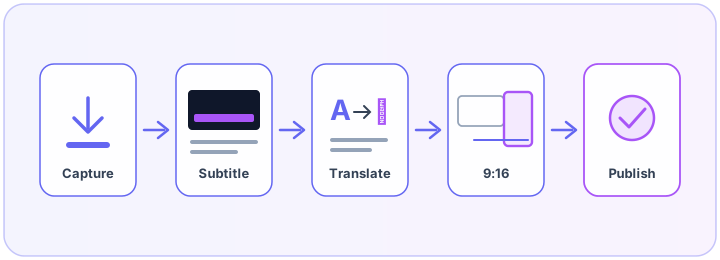
Capture, process, publish. No app switching in between.
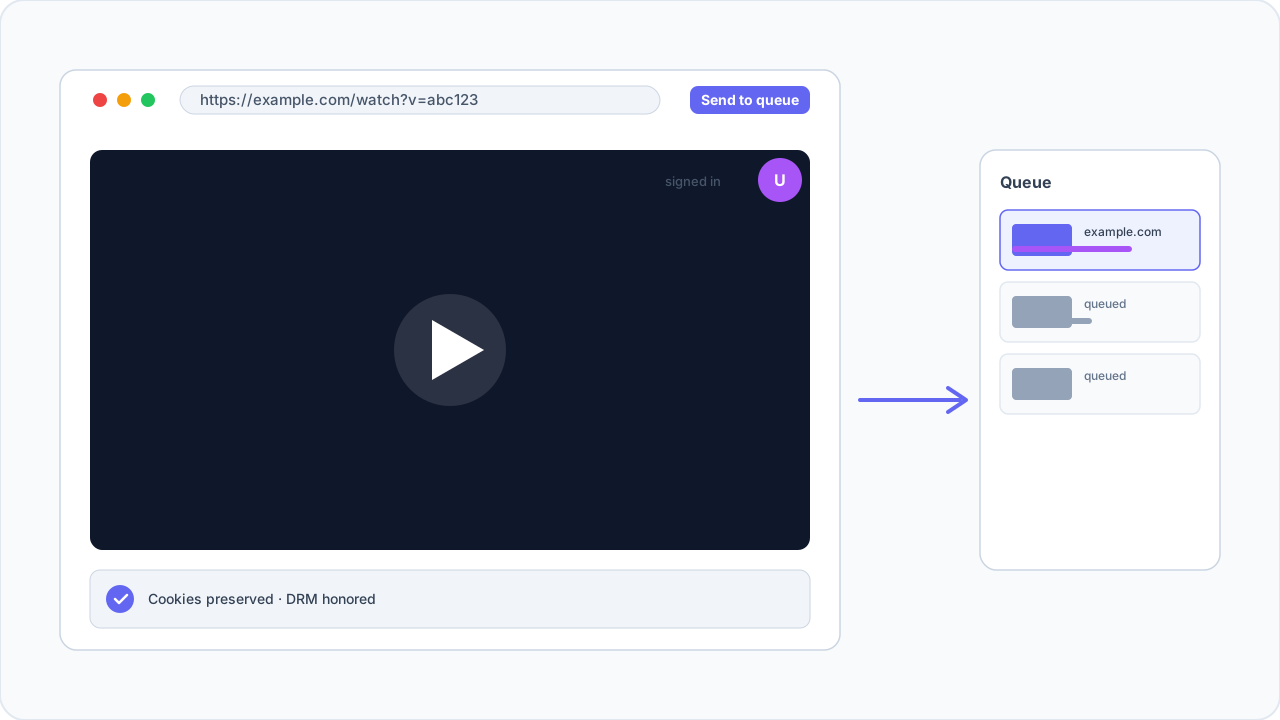
Sign in inside the embedded browser, then send the tab to the queue. Batch adds work too.
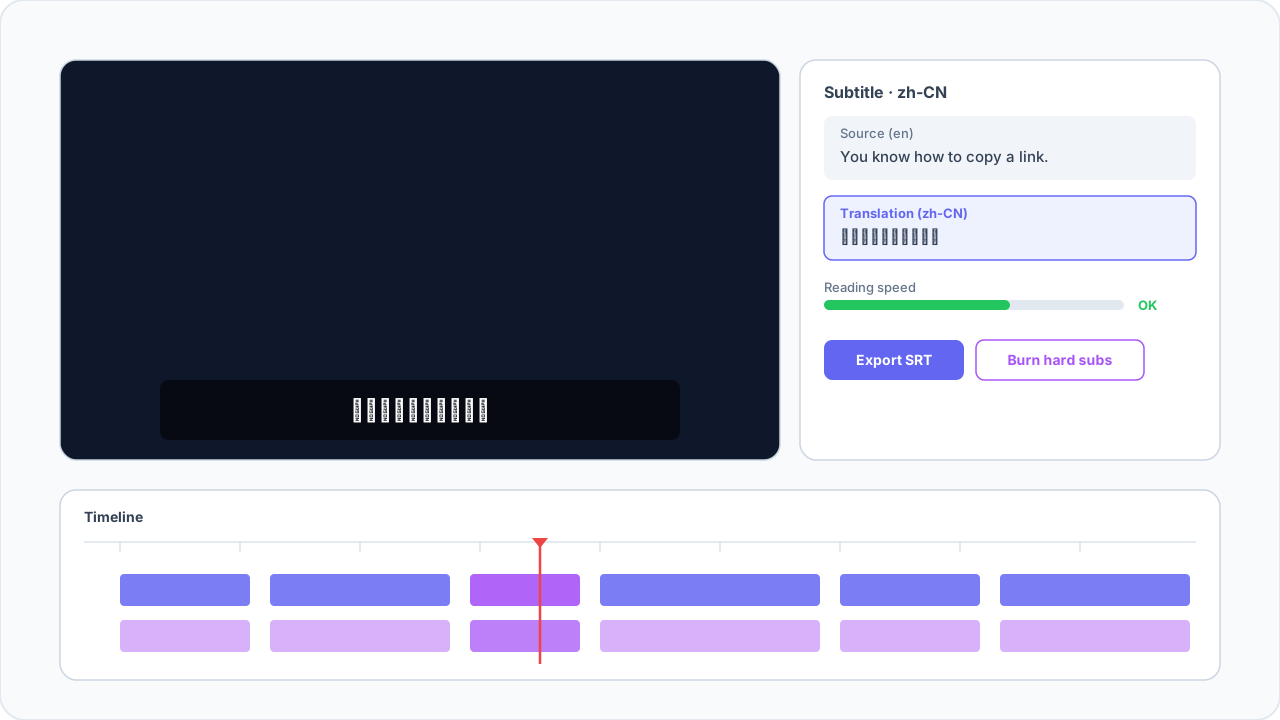
Auto-transcribe, translate, tweak the timeline, export SRT or burn hard subs. BYOK supported.
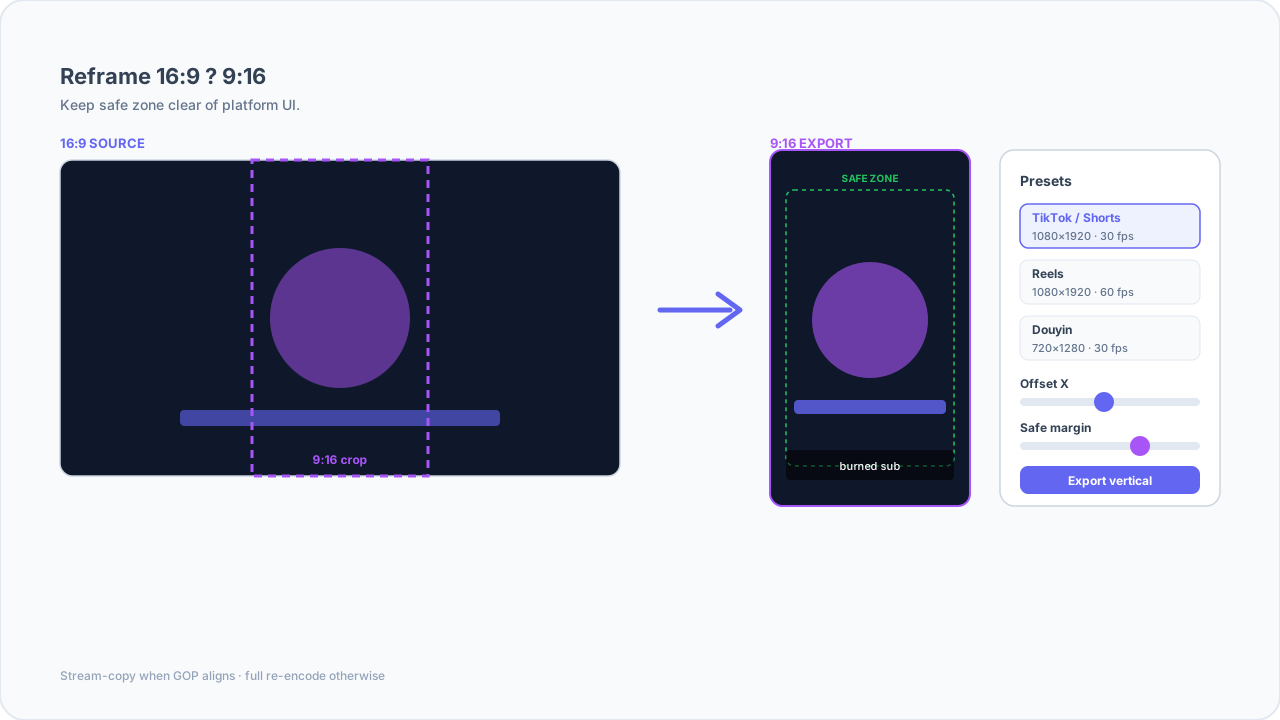
Reframe 16:9 to 9:16 with adjustable safe zones and export a clean master plus vertical cut.
Pull interviews overnight, transcribe through your workspace’s AI provider route, fine-tune names, ship SRT plus a burned MP4 by lunch.
Queue four tabs, pick 1080p H.264, cut three verticals for Shorts, upload on Monday — without opening After Effects.
Device-limited seats, tag-based library, audit logs. AI spend shows up where finance can read it.
We’re not the fastest option for every job. Here’s where each wins.
| Clipr | yt-dlp (CLI) | 4K Video Downloader | Screen recording | |
|---|---|---|---|---|
| Login-aware capture | Built-in browser shares cookies with the queue. | Possible — you manage cookies and scripts. | Works for public pages; brittle for logins. | Captures the screen, not clean masters. |
| Batch & retries | Pause, retry, copy errors for tickets. | Infinitely flexible; you build the UX. | Queues exist; ops logging light. | Real-time only. |
| Subtitles & vertical | STT, translation, 9:16 presets in one shell. | Pair with other tools; glue the pipeline. | Mostly download-first. | No subtitle track; re-encode heavy. |
| Where they win | Paid product; engine updates still download. | Fastest for terminal experts. | Dead simple for one-off MP4 grabs. | Only option when DRM blocks ripping. |
Free: 1 device, 5 downloads/day, 720p. Pro: $9.99/mo or $79/yr — 3 devices, 300 AI credits/mo. Team: $24/seat (3 seats minimum).
14-day refund on paid tiers if we can’t fix a real defect.
A login-aware browser ships cookies to the queue, format rows tell you the codec before you write, and subtitles + 9:16 presets sit next to downloads instead of in a pile of extensions.
Roughly a dozen common sources including YouTube, TikTok, Bilibili, X, Instagram, and Facebook. What you can pull still depends on the platform and the rights you hold.
Pro and Team include monthly AI credits. Already paying OpenAI or another vendor? Server-managed provider routing keeps usage under your own contract while Clipr meters it. Free has no cloud AI.
One device, five downloads per day, 720p max. Enough to see if the queue and library fit your desk.
Yes — ten days, no card. Checkout buttons on this site are stubs until Stripe goes live.
The installer stays small. On first run we download yt-dlp and ffmpeg into a cache so IT can review a thinner package first.
Builds for Apple Silicon, Intel, and Windows x64. Team seats and BYOK paperwork: [email protected].